
A build is one generation of a CLI. In the terminal, okibi calls it a run (okibi runs, <run-id>). You can talk to the agent while it works, from the app's chat or with okibi message.
Stages and statuses
A CLI created in the app builds v1 straight from its OpenAPI spec, with no chat. Its ready page lists each step as it runs, then agent ready optimization's suggestions. See Create a CLI.
A build that an agent runs, such as one from okibi generate, moves through four stages. okibi status prints the finer steps inside each one.
| Stage in the app | Steps okibi prints | What happens |
|---|---|---|
| Generate | research, absorb, scaffold, generate | The agent reads the source and writes the commands |
| Validate | verify | The CLI is built and checked |
| Package | dogfood | The built CLI runs in live checks |
| Publish | ship | The version and its installer are published |
| In the app | In okibi | Meaning |
|---|---|---|
| Queued | queued | Waiting to start |
| Building | running | Working through the stages |
| Needs review | awaiting-spec-approval | Paused on the spec. See Approve the spec |
| Built | succeeded | Finished |
| Failed | failed | Stopped. The app shows the stage where it stopped |
| Cancelled | cancelled | Someone cancelled it |
Follow builds
Open the project and click Builds. Builds are listed beside the one you pick, which shows its steps, what it made, and what to do next. Load older builds shows more.
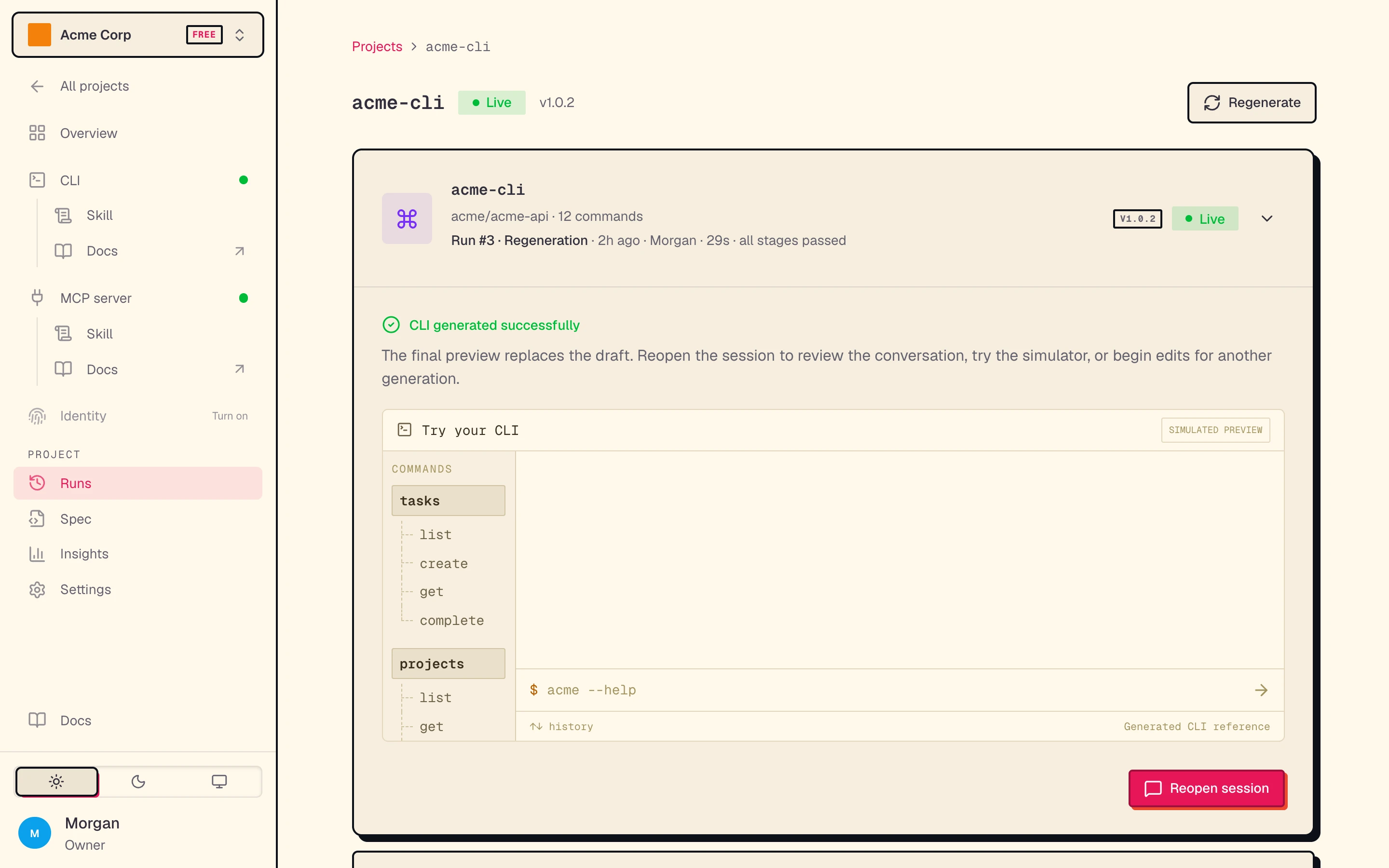
The picked build offers what fits it, such as View logs, Try it, Connect this version (MCP), Cancel, and Delete. To install a version, use the project's CLI page.
A build that an agent runs has a chat. Click Reopen session on the newest build, or Reopen chat in an older build's menu. A v1 build from a spec has no chat.
- While the agent works, the box reads "Okibi is working · steer anytime". Your messages wait in a queue. Steer now sends the next one right away.
- An idle session goes to sleep. Send a message to wake it.
- Once the build's sandbox is gone, the chat opens read-only with the saved conversation.
Fix a finished build
Send okibi message to a build that succeeded and still has its conversation. The agent repairs that same build and version, at no extra generation charge. When okibi status <run-id> says the corrected artifact is available, run okibi pull <run-id> again. Release pins do not change. To build a new version instead, click Regenerate on the CLI page, or run okibi generate again with the same --name.
When a build fails
- The CLI keeps its last good version. Its official release and install command do not change. If a repair fails, the earlier artifact stays too.
- Failed and cancelled builds do not count toward your generation usage.
- Find the cause: the build card names the stage that stopped, and View logs shows the output.
okibi generateprints the last lines of output when it sees a failure.
Publish edits to the generated repository
The generated CLI's source lives in its own repository. If you commit changes there, publish them as the next version. This does not change the official or testing release; choose those separately in Releases and install.
Open the project's Settings. In Updates, click Check for changes next to Repository. If there are unpublished commits, click Publish commits.