
The spec is cli-spec.md, the plan an agent build follows. When a build pauses on it, nothing is built until you approve.
This page is for builds an agent runs, such as okibi generate --review. A CLI created in the app builds v1 straight from its OpenAPI spec with no review step. You change it with suggestions and okibi.yml instead. See Create a CLI.
What the spec is
- A Markdown file kept in the CLI's repository. It records the commands, naming decisions, auth, and the API base URL.
- Every later generation starts from the current spec and updates it, so what you approve now carries forward.
- It is not an OpenAPI file.
okibi generate --spectakes OpenAPI as a source.okibi specmanagescli-spec.md.
What to check
| Check | Look for |
|---|---|
| Commands | Every workflow your users need, and nothing they should not have |
| Names | Clear, consistent command groups and required arguments |
| Auth | How a user gets a credential and passes it |
| Pagination | List commands that need more than one page |
| Destructive operations | Deletes and bulk changes, and whether they ask before acting |
| Target endpoint | The base URL is your API, not your docs site |
Approve or send it back
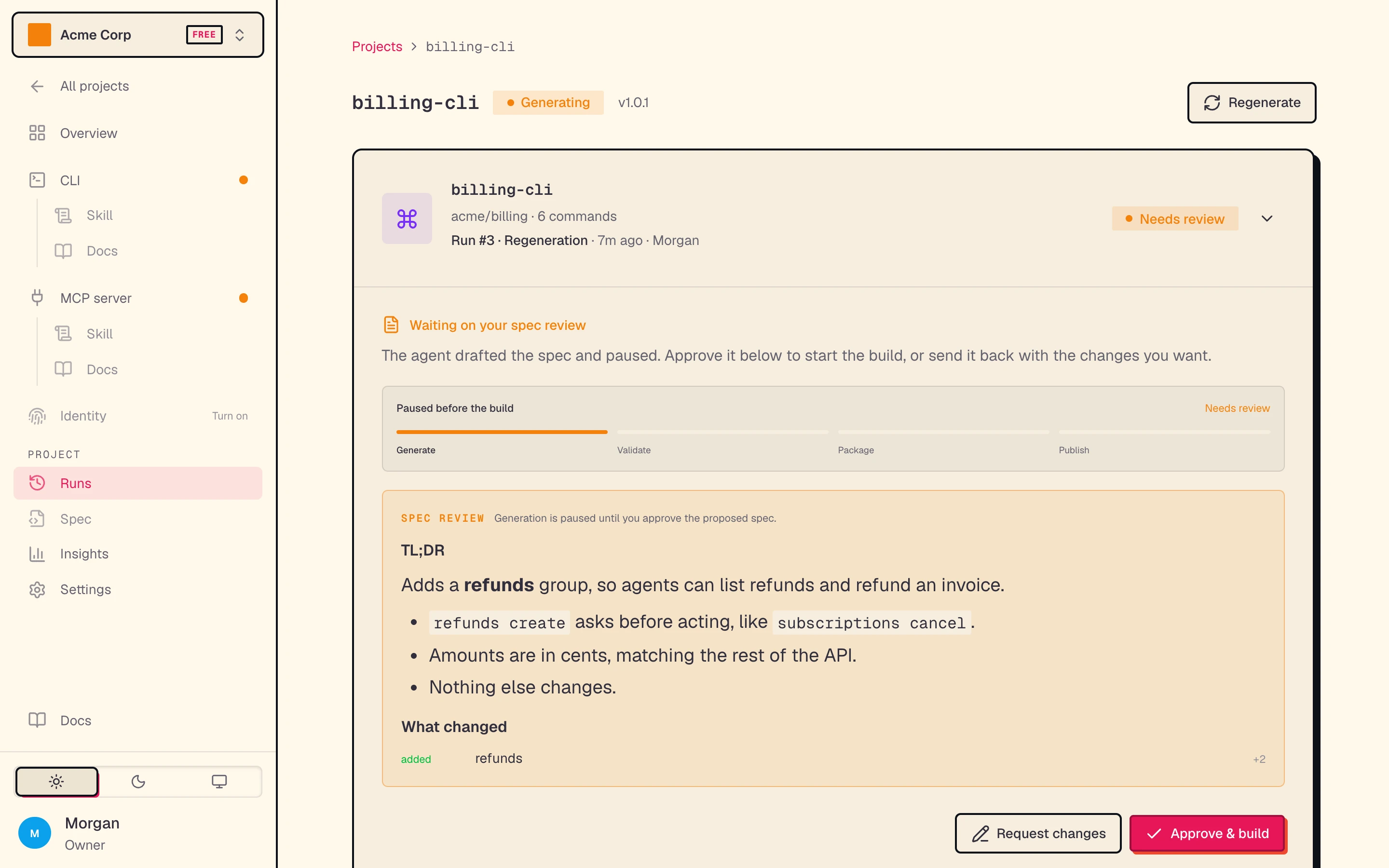
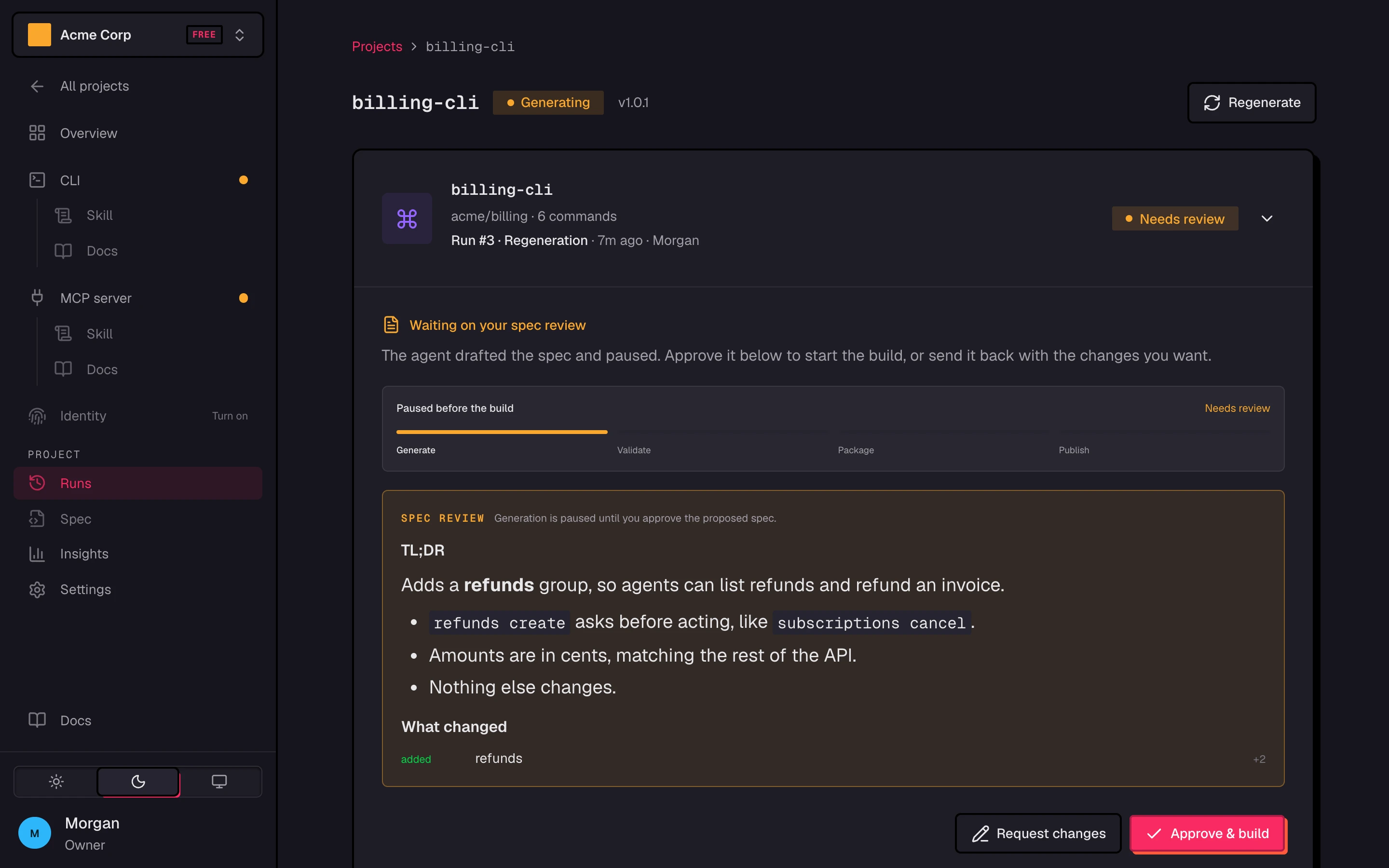
A paused build shows Needs review on the project's Builds page, with the summary and what changed. Click Approve & build to build, or Request changes to open the chat and say what to change. The agent revises the spec and brings it back.
Which sources can pause for review
| Source | okibi generate |
|---|---|
| A codebase (GitHub repo or local) | With --review or --spec-only |
| API docs | Can't pause |
| OpenAPI document | Can't pause |
Without --review, okibi generate builds straight away. Regenerate on a CLI built from API docs or an OpenAPI document also builds without a pause. In the okibi TUI, /generate always pauses for review.
Don't leave it too long
A paused build waits only so long. When its review window closes, the build fails with spec approval window expired before the reserved build time. Start a new generation.
To drop a paused build, open its menu (the chevron) on the Builds page and pick Cancel build. Or run okibi runs cancel <run-id> --yes.
Update the spec without building
okibi generate ./my-api --name my-cli --spec-onlyThe agent proposes an updated spec and pauses for approval. Approving commits it to the CLI's repository. Nothing is built, and it is free. It needs a codebase source and a CLI that has been generated before.
Edit the spec yourself
okibi spec show my-cli > cli-spec.md
okibi spec edit my-cli --file ./cli-spec.md
spec showwith no run id prints the current approved spec.spec editopens$EDITOR, or reads--file. Use--file -for stdin.- It commits the file to the CLI's repository. It does not build. The next generation starts from your version.
- The CLI must have been generated once. The spec can be 256 KB at most.
In the app, the project's Spec page shows the current approved cli-spec.md. It is read-only. To change it, describe the change in the chat when you next click Regenerate, or use okibi spec edit.